
Blog
Resource Hero v17: Introducing the RH Toolkit
One window that brings the whole forecast back in line with what is actually happening.
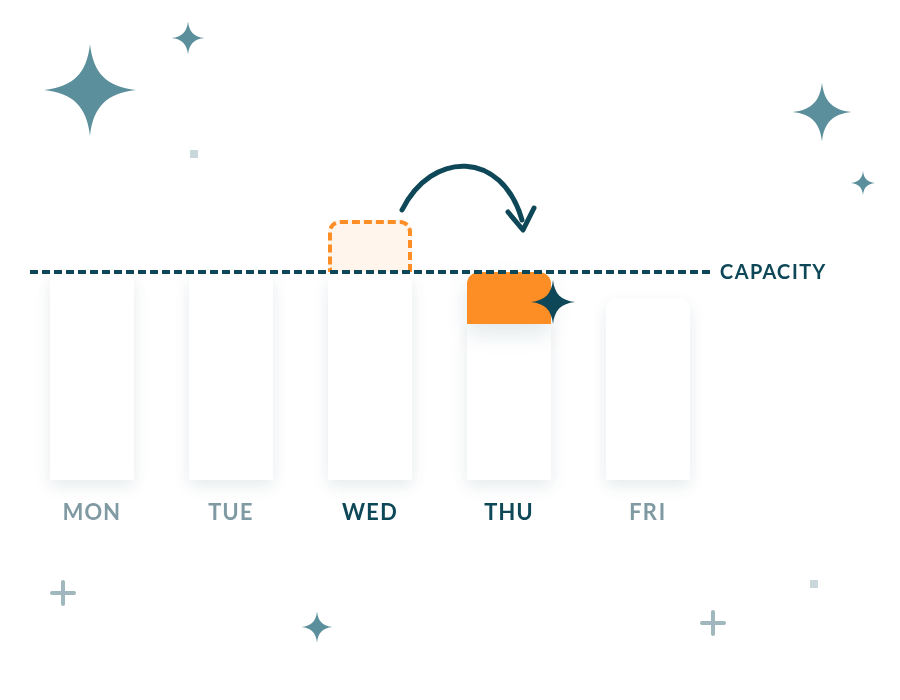
Your forecast does more work than almost anything else in your Salesforce org. It tells sales when the team can start the next deal. It tells finance what revenue to expect next quarter. It tells managers who has room and who is stretched thin. Every one of those decisions assumes the forecast is current.
The forecast is set before the work starts, and the work rarely follows it exactly. People take time off. Holidays land on planned days. A client pushes the start date. A change order adds scope, or a budget cut removes it. Someone rolls off the project halfway through. Each change leaves the plan a little further from reality, and closing the gap has meant a project manager editing forecasts one day at a time. On a busy week, that is the first task to slip.
Resource Hero v17 introduces the RH Toolkit: one window on any RH Project, Opportunity, or custom object set up for Resource Hero that brings the whole forecast back in line with what is actually happening, in a few minutes.
The plan matches the hours actually worked
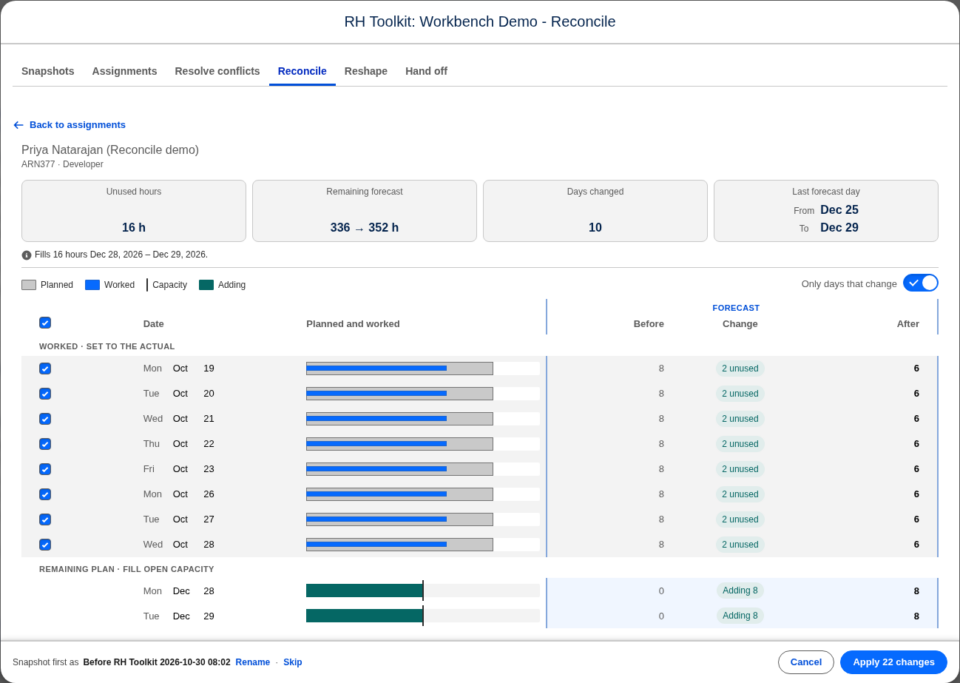
When a project’s past forecast still shows what was planned instead of what was worked, every report built on it is off: utilization, remaining budget, projected revenue. Reconcile sets past forecasts to the hours your team actually logged, then decides what to do with the difference. Unused hours can move into the remaining plan, extend the end date, or be written off, so the remaining budget tells the truth too.
Run it every week and it picks up where the last run left off. The forecast stops drifting, because correcting it takes minutes instead of an afternoon.
Change orders, delays, and departures handled the same day
Projects change, and the plan should change with them right away, not at the end of the month.
- The client pushes the start date. Reshape slides the remaining plan later, so the people booked on it show as available for other work in the meantime.
- A change order adds or cuts scope. Reshape sets a new remaining total for each assignment and spreads it across the days left.
- Someone rolls off or goes on leave. Hand off moves their forecast to the person taking over. The hours they already worked stay with them, so the record of who did what stays accurate.
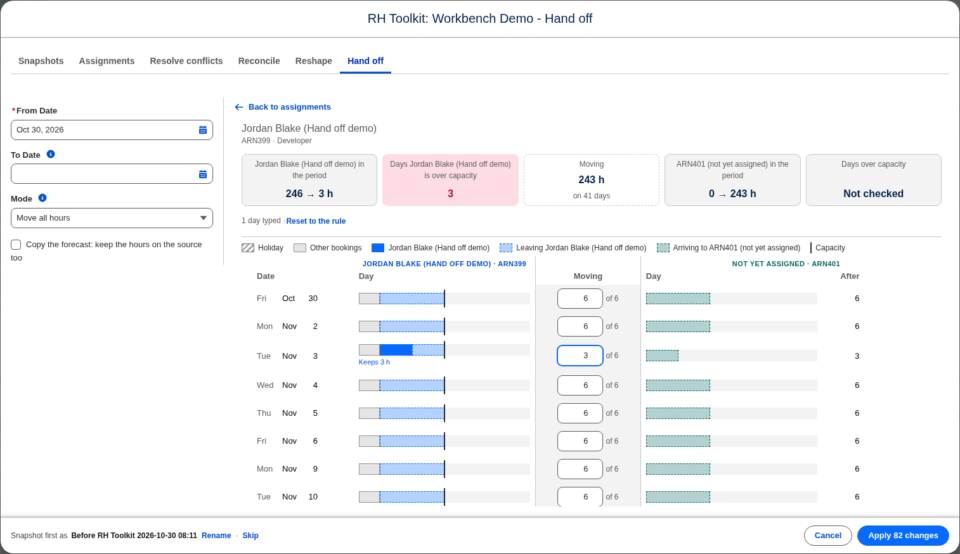
Learn more about Reshape · Learn more about Hand off
Overbooking caught before it costs you
A consultant booked past capacity is a deadline at risk or a person headed for burnout, and it usually shows up only when the week arrives. Resolve conflicts finds every day a resource is booked past capacity by this project, other projects, holidays, or time off, and moves this project’s hours to the next days they have room. Each assignment keeps its total, and other projects are left as they are.

Learn more about Resolve conflicts
Every change can be undone
Changing a whole forecast at once only works if you can trust the result. The RH Toolkit is built around that:
- Every change shows a preview first. Nothing is written until you click Apply.
- Before it writes anything, the toolkit offers to take a snapshot, so there is always a way back.
- Actual hours are never changed, and only the record you are working on is updated.
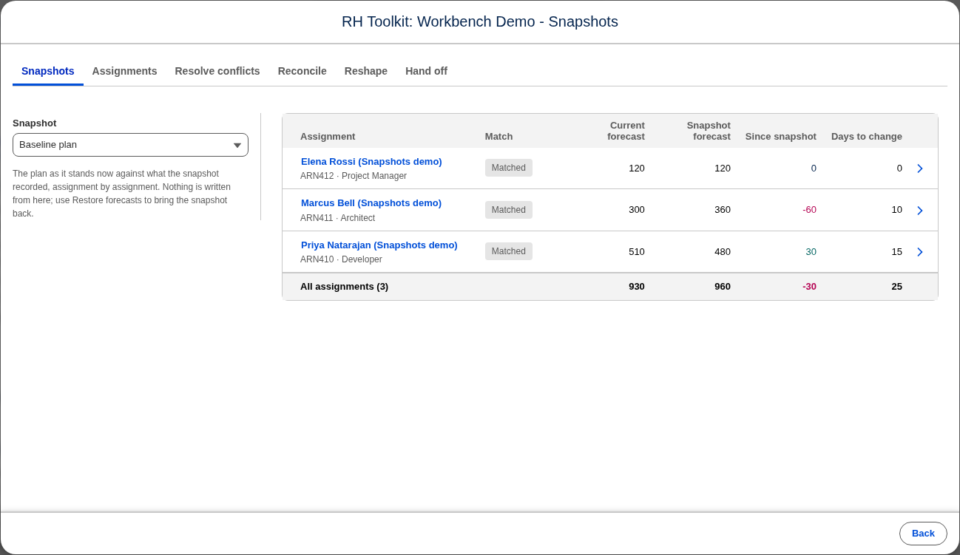
Snapshots do more than undo. Take one when a deal is signed or a project kicks off, and you have a baseline to compare against later: how the plan has moved, which assignments grew, and where the hours went. Snapshots work on RH Projects, Opportunities, and custom objects set up for Resource Hero, so the baseline can start on the deal, before the project exists.
Staffing without switching screens
The toolkit opens on the Assignments tab, where you can add, edit, and remove the people on the project, with Find Resource built in to fill an open role. Add the person taking over and hand hours to them in the same session.
Get started
The RH Toolkit is available in Resource Hero v17.
- Upgrade: install v17 from the Salesforce AppExchange. How will I receive Resource Hero upgrades? walks through it. Your data and configuration are preserved.
- Set up: follow the v17 post-install instructions, which include assigning the Resource Hero – RH Toolkit permission set.
- Learn the tools: the RH Toolkit overview covers every tool, and RH Toolkit: Setup covers access and adding the action to your record pages.
- See the rest of v17: the v17 release notes list everything in this release.
Want to see it on your own projects? Schedule time with our team and we’ll walk through it with you.

