
There are several Resource Hero interfaces which allow you to easily create assignments and enter forecasts and actuals:
Manage Assignments
The Manage Assignments lightning component allows you to quickly add, update or remove resource assignments from an Opportunity or any other object that is configured to work with Resource Hero. The component can be added directly to the Opportunity or other record lightning pages.
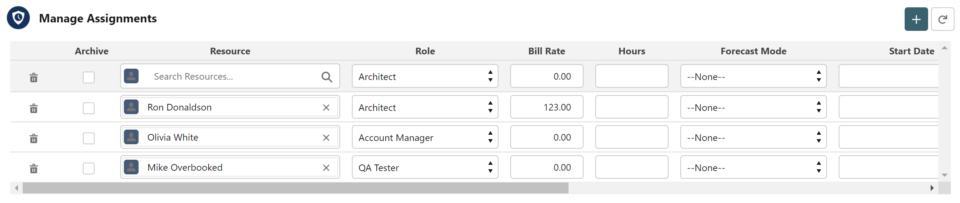
For more details, view the Assigning Resources Using the Manage Assignments Lightning Component support post.
Matrix
The Matrix interface works just like a spreadsheet and is designed to make it as easy as possible to enter forecasts or actuals over multiple dates, resources, or projects.
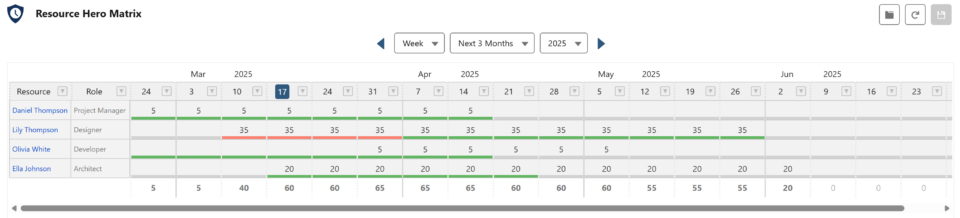
For more details, view the The Matrix Lightning Web Component support post.
Note: Prior to the release of the lightning web component matrix, a visualforce version of the matrix was available. For more information, view the Legacy Visualforce Matrix Interface support post.
Enhanced Time Tracking
A comprehensive time tracking interface supporting manual entry, real-time timers, and quick tap tracking. Differentiate between billable and non-billable hours, categorize time, and view a customizable totals dashboard. Per-user settings provide a personalized experience.
For more details, view the Enhanced Time Tracking support post.
Legacy Time Tracking
The legacy time tracking interface makes it easy to view and update actuals throughout the entire platform. The Legacy Time Tracking interface can be added on the Home tab, Resource detail page, and any object detail page that is configured to work with Resource Hero, such as Opportunities, Cases, and Project.
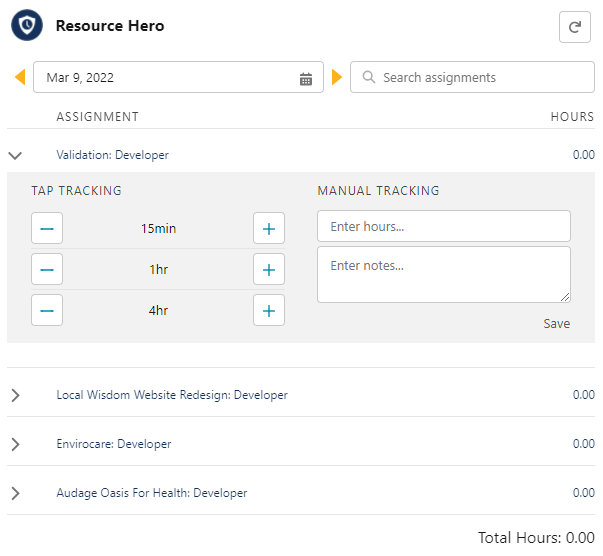
For more details, view the Legacy Time Tracking Component support post.
Find Resource
The Find Resource interface enables managers to find suitable resources based on skill sets and work The Find Resource component helps you search for resources based on resource fields and assigned skills. It can be accessed from the Find Resource button on the Manage Assignments component or from the detail page of an individual Resource Assignment record.
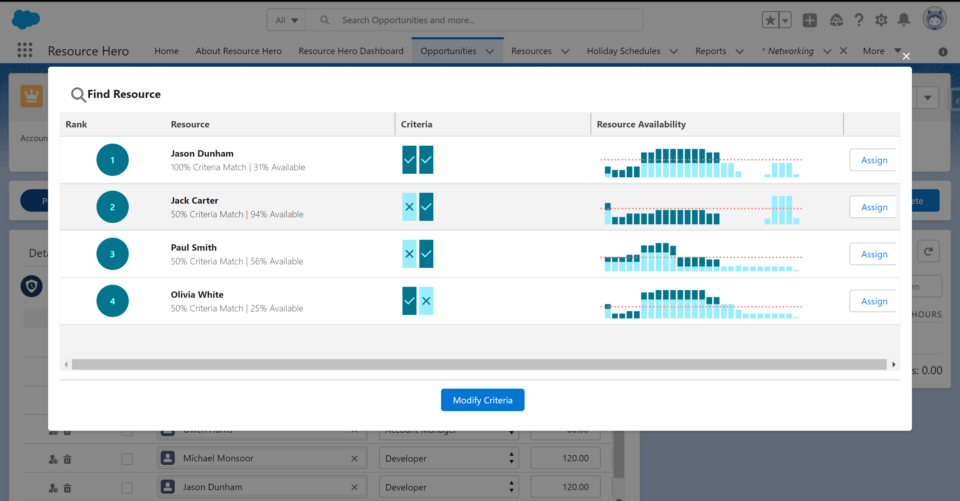
For more details, view the The Find Resources Component support post.
RH Status
The RH Status component is designed to report the status of rollup operations for the current in-focus record. It provides real-time feedback on whether rollup operations have been completed successfully, are pending, or have encountered errors.

For more details, view the The RH Status Component support post.
Next Steps
Now that you know about the various interfaces for entering data into Resource Hero, let’s learn how to use the Manage Assignments lightning component to create and update assignments.

