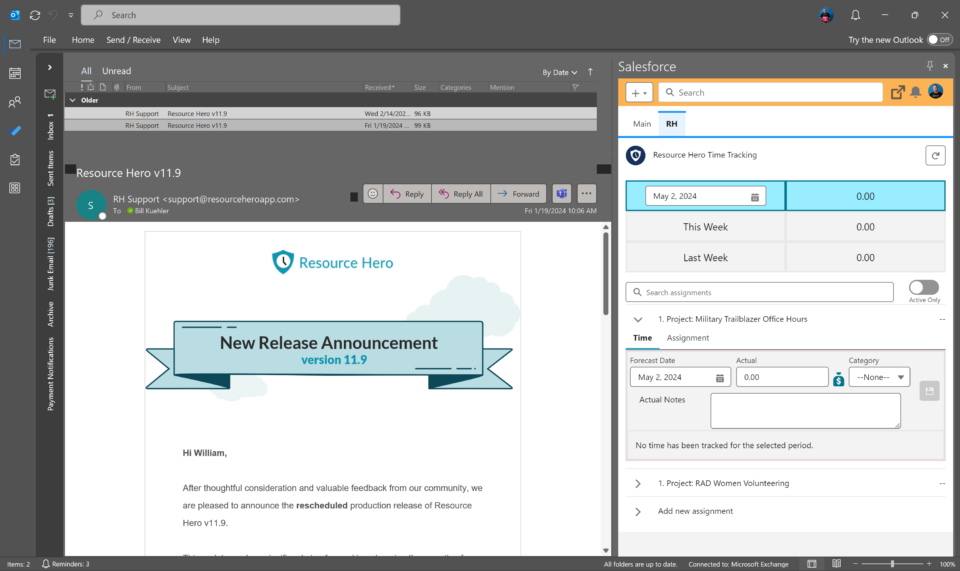
With Resource Hero, you can seamlessly integrate time tracking in Outlook and Gmail, making it easier than ever to monitor your work hours without ever leaving your inbox. This guide will walk you through the simple steps to add Resource Hero’s time tracking functionality to your Outlook or Gmail side panel, empowering you to boost your productivity and stay on top of your tasks.
- Log into Salesforce and go to Setup
- In Quick Find, enter
Lightning App Builder - Select Lightning App Builder
- Click Edit on the Email Application Pane Default row
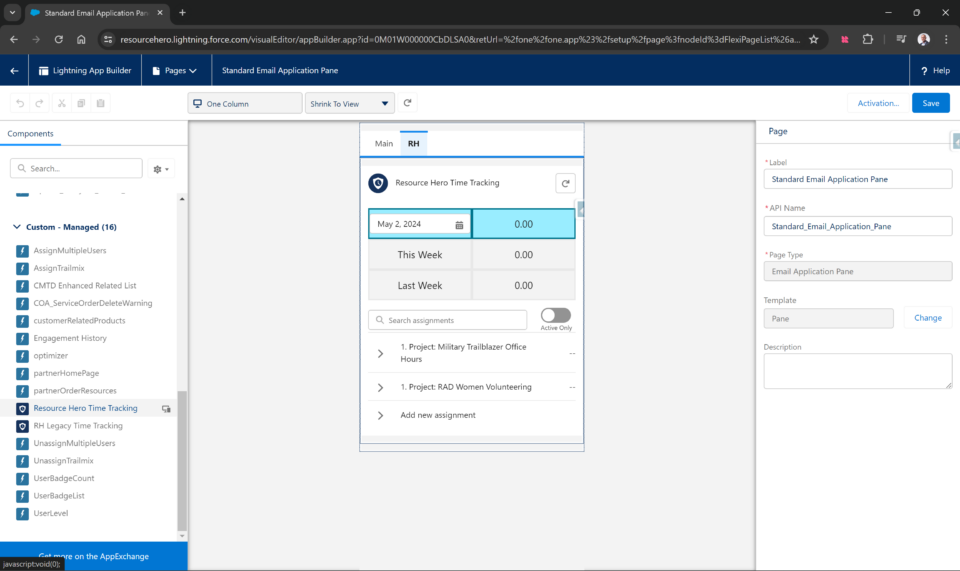
- In the Components panel, search for
RH Time Tracking - Drag that component onto the page.
- Click Save
With the Email Application Pane updated, open the Salesforce side panel from within MS Outlook or Gmail to use the Enhanced Time Tracking interface.