
From the Salesforce AppExchange, administrators can install Resource Hero in either a sandbox or a production environment.
From the Salesforce AppExchange, navigate to the Resource Hero listing:

To install in a production environment, click Get It Now, then, after confirming your login information, click Install in Production.
To install in a sandbox, click Try It, then make sure to select Try in your sandbox. After confirming your contact details, click Continue to Installation.

Installation
Once logged in to your production or sandbox environment, you will be prompted to select the type of users that you want to install Resource Hero for.
Select Install for All Users if you plan on granting access to all users in your org, or, if you plan on managing security more granularly or with permission sets, select Install for Admins Only.
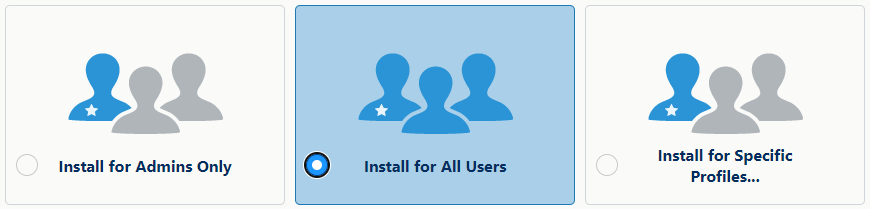
Click Install.
The installation may take a few minutes. You should receive an email when the installation is complete.

